Basic 5 · Computing · Generation of Computers
Output Devices and Their Uses
In this topic you will describe the types of output devices and identify their uses.
By the end of these notes you should be able to:
- Define an output device
- Name and describe soft-copy and hard-copy output devices
- State the uses of common output devices
What you already know
- Input devices (Basic 4)
Copy everything that has a blue line on its left into your notebook. The other parts are for reading.
- Strand
- Introduction To Computing
- Sub-strand
- Generation of Computers
- Indicator
- B5.1.1.1.1 – 3 Describe the types of output device and identify their uses
Introduction
When you type a message on a computer, how do you see it? When you play a song, how do you hear it? The computer shows and plays results through output devices.
1. What Is an Output Device?
Output device: A piece of hardware that receives processed data from the computer and presents it to the user as text, pictures, sound or movement.
A computer works in four stages: input, processing, storage and output. The user enters data with an input device such as a keyboard. The processor (CPU) works on the data. The result is then sent to an output device so that the user can see, hear or hold it.
2. Soft-Copy and Hard-Copy Output
Output can be soft copy or hard copy. Soft copy is output you can see or hear but cannot touch, such as text on a screen or sound from a speaker. It disappears when the device is turned off. Hard copy is output on paper or another material that you can hold and keep, such as a printed report.
| Device | Type of output | Use |
|---|---|---|
| monitor | soft copy (pictures and text) | displays what the computer is doing |
| speaker | soft copy (sound) | plays music, videos and alerts |
| headphones | soft copy (sound) | lets one person listen privately |
| printer | hard copy (on paper) | prints documents and pictures |
| projector | soft copy (large picture) | shows the screen on a wall for a class |
| plotter | hard copy (large drawings) | prints building plans and maps |
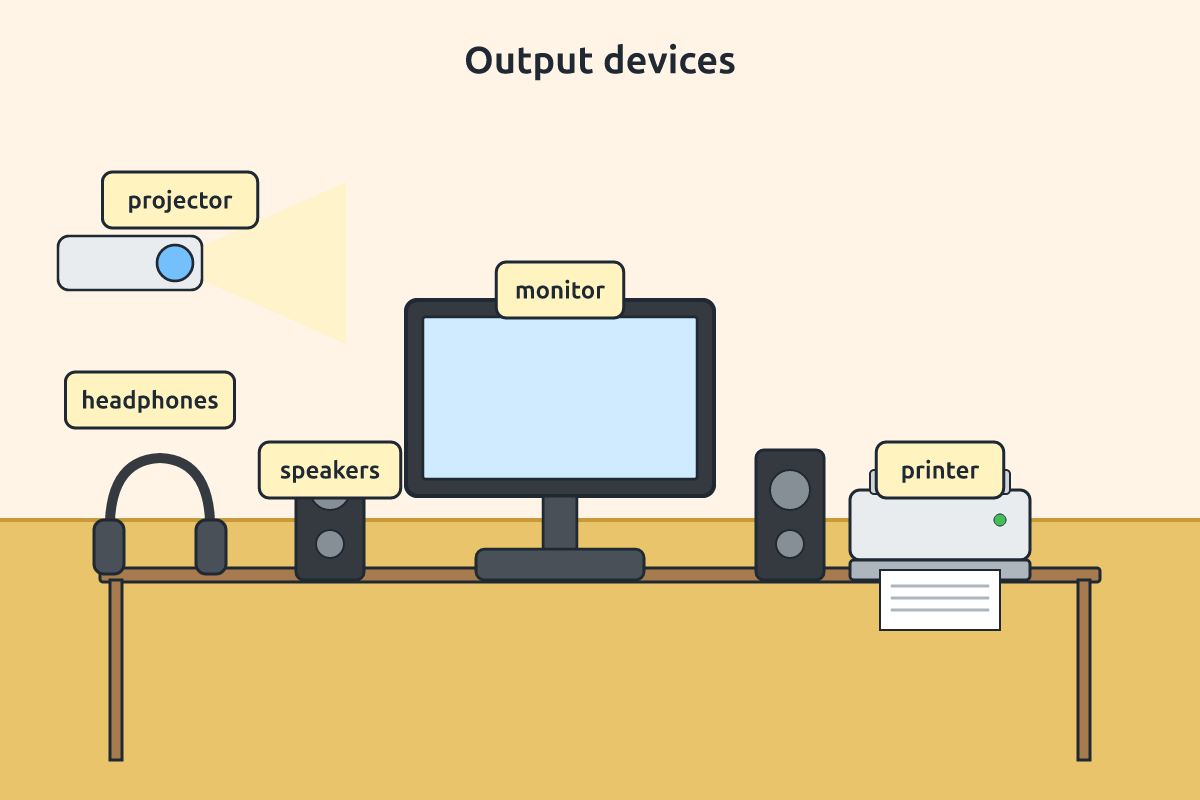
3. Types of Printers and Monitors
Printers include inkjet printers, which spray tiny drops of ink and are good for colour pictures, and laser printers, which use powder called toner and are fast for many pages. Monitors include LCD and LED flat screens, which are light and use little power. Old CRT monitors were big and heavy, like old televisions.
Some devices are both input and output devices. A touchscreen on a phone shows pictures (output) and receives your touch (input). A headset with a microphone also does both.
Remember: Input goes into the computer; output comes out of the computer.
New words
- output device
- Hardware that presents results from the computer.
- soft copy
- Output that cannot be touched, such as screen display.
- hard copy
- Output printed on paper.
- monitor
- A screen that displays output.
- printer
- A device that produces hard copy.
- projector
- A device that shows the screen on a wall.
Summary
- Output devices present processed data to the user.
- Soft copy is seen or heard; hard copy is printed.
- Monitors, speakers, printers and projectors are output devices.
- A touchscreen is both input and output.
Class activity: Input or Output?
- Look at the devices in the computer lab.
- Sort them into input, output, or both.
- Give a reason for each choice.
You need: Portable radio, Computer monitor, Speaker, Basic mobile phone with analogue-digital label cards
Exercises
Answer in your exercise book first, then check your answers.
1. Which is an output device?
- A. Printer
- B. Keyboard
- C. Mouse
- D. Scanner
Show answer
Answer: PrinterIt produces hard copy.2. Output on paper is called…
- A. hard copy
- B. soft copy
- C. input
- D. data
Show answer
Answer: hard copyYou can hold it.3. Which device is both input and output?
- A. Touchscreen
- B. Speaker
- C. Printer
- D. Projector
Show answer
Answer: TouchscreenIt displays and receives touch.4. A speaker produces sound output.
- A. True
- B. False
Show answer
Answer: TrueIt is a soft-copy output device.5. A monitor produces hard copy.
- A. True
- B. False
Show answer
Answer: FalseIt produces soft copy.6. A device that shows the computer screen on a wall is a ______.
Show answer
Answer: projectorUsed in classrooms.7. Give two differences between soft copy and hard copy.
Show answer
Answer: Soft copy is on a screen or sound and cannot be touched; hard copy is printed and can be kept.Any two.8. A teacher wants to show a video to 40 pupils. Which output devices are needed and why?
Show answer
Answer: A projector for a large picture and speakers for loud sound.Both are output devices.
Homework
- List five output devices you have seen at home, school or in town and their uses.