Basic 4 · Computing · Generation of Computers
Parts of a Computer and Technology Tools
In this topic you will learn what a computer is, the four main parts of a desktop computer and the technology tools we use at home and in school.
By the end of these notes you should be able to:
- Explain what a computer is
- Name and describe the four main parts of a desktop computer
- Identify common technology tools and state their uses
What you already know
- Seeing and using a computer, phone or television at home or in school
Copy everything that has a blue line on its left into your notebook. The other parts are for reading.
- Strand
- Introduction to Computing
- Sub-strand
- Generation of Computers
- Indicator
- B4.1.1.1.1 – Identify parts of a computer and technology tools
Introduction
Look around your school office, a bank or an internet café. You will see computers. In this lesson we will learn what a computer is, its main parts, and other technology tools we use every day.
1. What is a Computer?
Computer: An electronic machine that accepts data, processes it, stores it and gives out information.
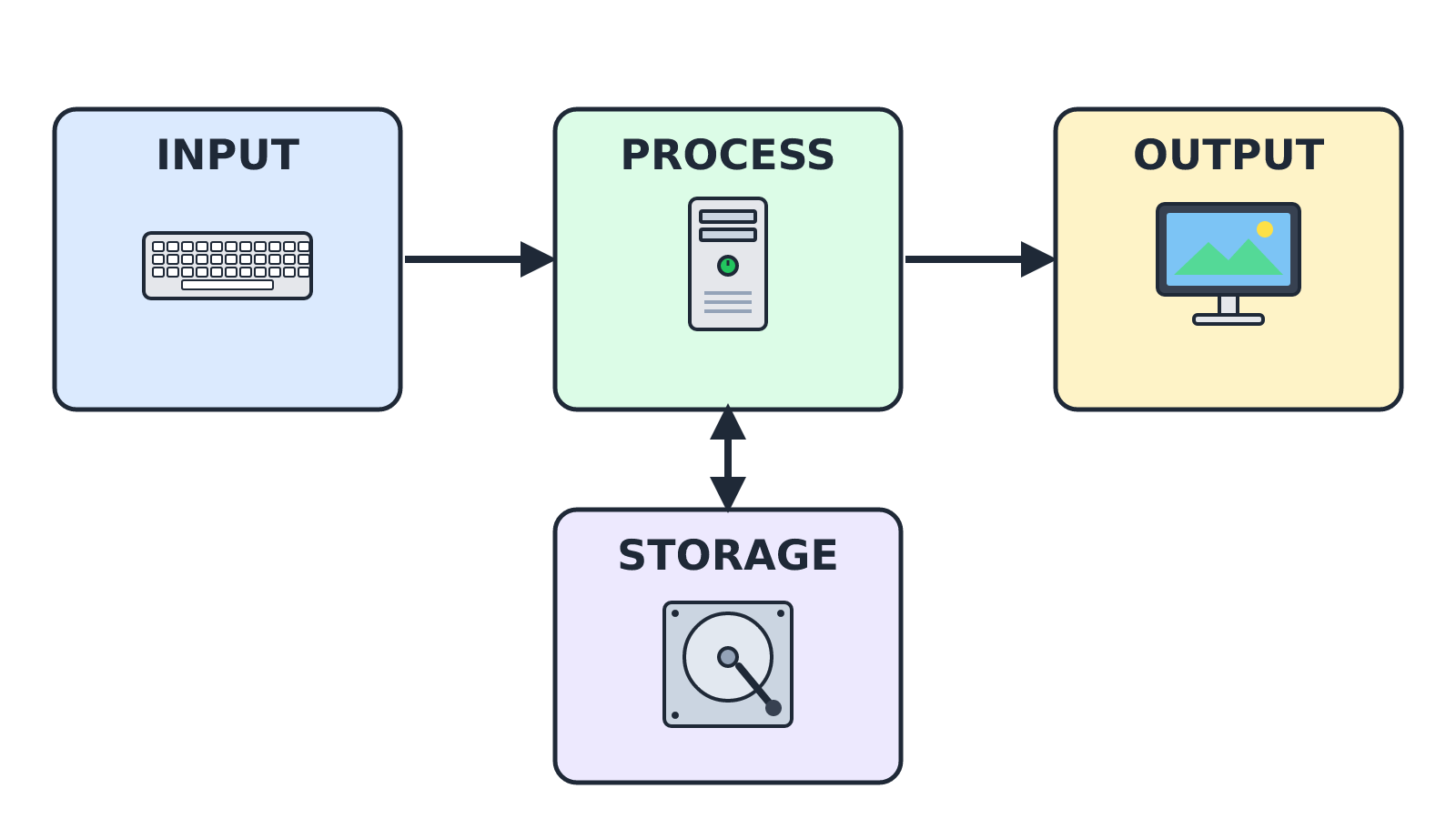
A computer does four main jobs:
- Input – it accepts data (for example, letters you type).
- Process – it works on the data.
- Storage – it keeps the data and information for later use.
- Output – it gives out the result (for example, on the screen or on paper).
2. The Main Parts of a Computer
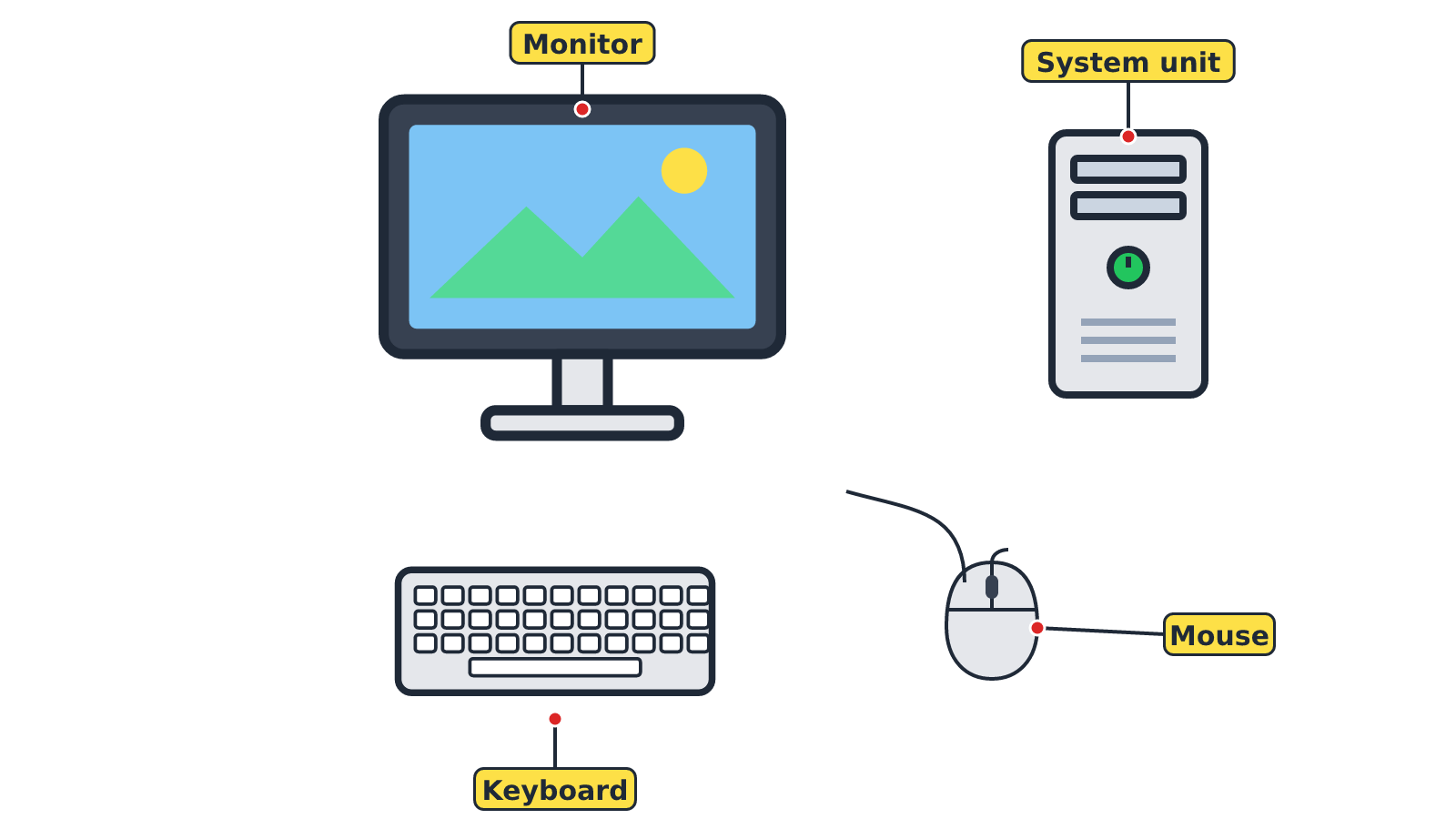
The physical parts of a computer that we can see and touch are called hardware. A desktop computer has four main parts:
| Part | What it looks like | What it does |
|---|---|---|
| System unit | A box (case) that stands on or under the table | Holds the processor, memory and hard disk. It does the processing. |
| Monitor | Looks like a television screen | Shows text, pictures and videos. |
| Keyboard | A flat board with many keys (buttons) | Used to type letters, numbers and symbols. |
| Mouse | A small hand-held device with buttons | Used to point, click and move items on the screen. |
Remember: The processor (CPU) inside the system unit is called the 'brain' of the computer because it carries out all instructions.
Other parts can be connected to the computer, such as speakers (for sound) and a printer (for printing on paper).
3. Technology Tools
Technology tool: A device that helps us to communicate, learn, work or play more easily.
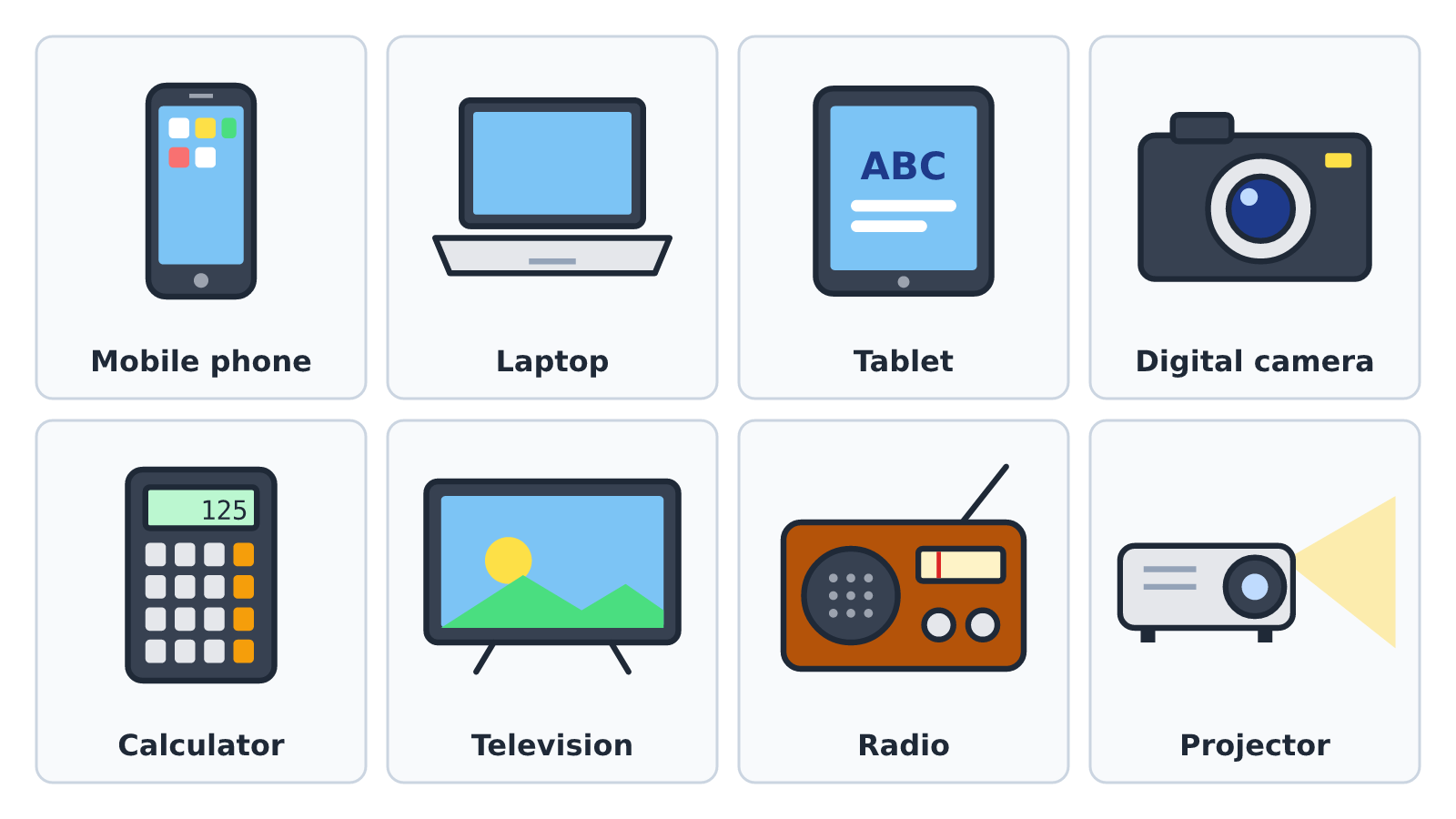
| Technology tool | Use |
|---|---|
| Mobile phone | Making calls, sending messages, taking pictures |
| Laptop | A computer you can carry around; used for typing, learning and browsing |
| Tablet | Reading, watching videos and playing learning games using a touch screen |
| Digital camera | Taking photographs and recording videos |
| Calculator | Doing calculations quickly |
| Television | Watching news and educational programmes |
| Radio | Listening to news, music and programmes |
| Projector | Showing pictures from a computer on a big screen or wall |
Tip: Always handle computers and technology tools with clean, dry hands.
New words
- Computer
- An electronic machine that accepts data, processes it, stores it and gives out information.
- Hardware
- The parts of a computer that you can see and touch.
- System unit
- The case that holds the processor, memory and hard disk.
- Monitor
- The screen that shows text, pictures and videos.
- Processor (CPU)
- The part inside the system unit that carries out instructions; the 'brain' of the computer.
- Technology tool
- A device that helps us communicate, learn, work or play more easily.
Summary
- A computer accepts data, processes it, stores it and gives out information.
- The four main parts of a desktop computer are the system unit, monitor, keyboard and mouse.
- The processor (CPU) is the 'brain' of the computer.
- Mobile phones, laptops, tablets, cameras and calculators are technology tools.
Class activity: Name the Part
- Your teacher will show you a computer set and picture cards of computer parts.
- Point to each part on the real computer and say its name.
- Match each picture card to what the part does.
You need: Desktop computer set, Detached keyboard and mouse, Printed picture cards of computer parts
Exercises
Answer in your exercise book first, then check your answers.
1. Which part of the computer shows text and pictures?
- A. Keyboard
- B. Mouse
- C. Monitor
- D. System unit
Show answer
Answer: MonitorThe monitor is the screen that displays text, pictures and videos.2. Which part is called the 'brain' of the computer?
- A. Mouse
- B. Processor (CPU)
- C. Speaker
- D. Monitor
Show answer
Answer: Processor (CPU)The processor carries out all the instructions of the computer.3. Which of these is a technology tool used for doing calculations quickly?
- A. Radio
- B. Calculator
- C. Projector
- D. Camera
Show answer
Answer: CalculatorA calculator is used to add, subtract, multiply and divide quickly.4. The keyboard is used to type letters and numbers.
- A. True
- B. False
Show answer
Answer: TrueThe keyboard has keys for letters, numbers and symbols.5. Hardware means the parts of a computer we cannot touch.
- A. True
- B. False
Show answer
Answer: FalseHardware is the parts of a computer we CAN see and touch.6. The ______ holds the processor, memory and hard disk.
Show answer
Answer: system unitThe system unit is the case that contains the main working parts.7. List the four jobs of a computer.
Show answer
Answer: Input, process, storage and output.A computer accepts data (input), works on it (process), keeps it (storage) and gives out results (output).8. Name three technology tools and state one use of each.
Show answer
Answer: Any three, e.g. mobile phone – making calls; camera – taking photographs; projector – showing pictures on a big screen.Any correct tool with its matching use is accepted.
Homework
- Draw and label the four main parts of a desktop computer in your notebook.
- List five technology tools you have at home and write one use of each.